From another device
Same machine running the Unreal app and the Pixel Streaming signalling server — but watched from a phone, tablet or second computer on the same network.
This is the test worth doing before you promise anyone the app works on mobile. Touch input, screen size and the on-screen keyboard all behave differently, and none of that shows up when you test in a desktop tab.
The local test already working, and both devices on the same network. If the local test does not work, this one cannot.
-
Start your app from the shortcut with the streaming arguments, and leave its terminal open.
-
Start the signalling server exactly as in test from your browser (
SignallingWebServer\platform_scripts\cmd\start.bat;run_local.baton older plugin versions), and leave that terminal open too.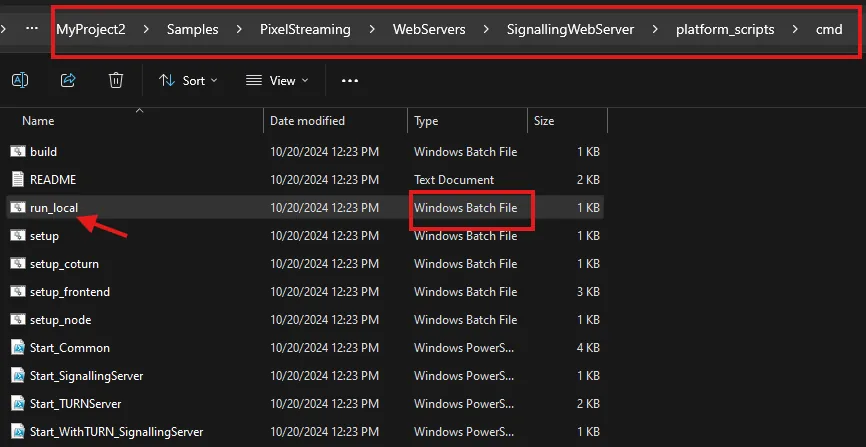
-
In a command prompt, run
ipconfigand find the IPv4 Address of the machine.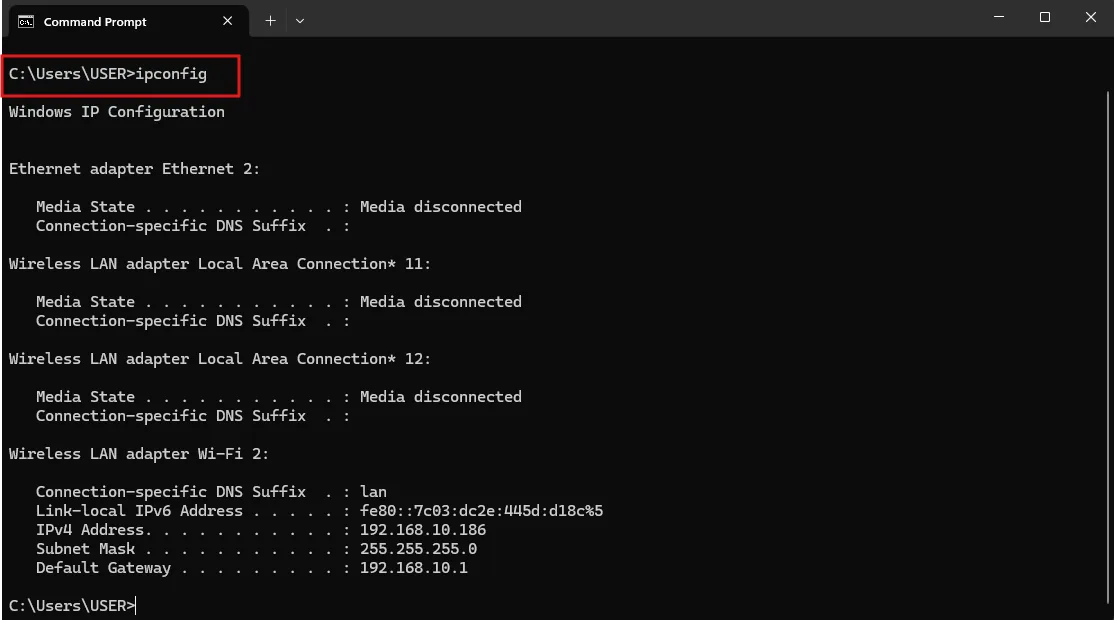
-
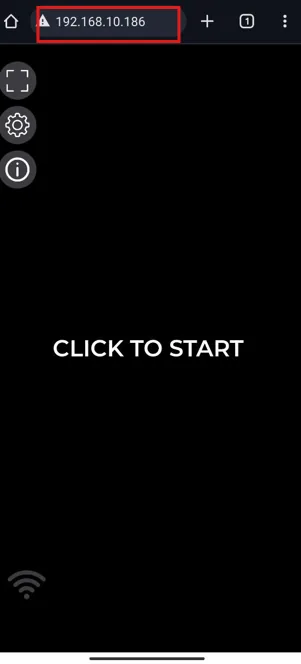
On the other device, open a browser and go to that address.
-
Press CLICK TO START.
Whether your interface is usable at that screen size, whether touch reaches the controls, and whether text fields bring up the on-screen keyboard. It does not tell you anything about real-world latency — everything here is on your own network.
The same idea, with the differences a Linux package brings.
Last updated