Detect the viewer's device
Your Unreal app runs on a streaming server, so it cannot tell whether the person watching is on a desktop or a phone. This asks the browser and tells the app.
Everything Unreal knows about "the machine" is the streaming machine — always a Windows or Linux server with no touchscreen. The viewer might be on an iPad. Without asking, your app will happily show a right-click hint to someone who has no right button.
Swapping the control scheme and the on-screen hints: touch gestures and larger hit areas on mobile, mouse and keyboard on desktop. It is the difference between an app that works on a phone and one that merely appears on it.
Asking the browser which device the viewer has
Place a BP_E3DS_PS_Actor in the level.
-
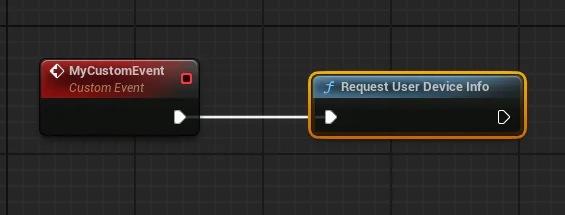
Call E3DS RequestUserDeviceInfo. (The screenshot shows the older node, named Request User Device Info.)
The answer your app receives
The platform replies with a JSON message describing the viewer's device:
{
  "type": "takeUserDeviceInfo",
  "userDeviceInfo": {
    "os": {
      "name": "Windows",
      "short_name": "WIN",
      "version": "10",
      "platform": "x64",
      "family": "Windows"
    }
    // ... browser, engine and other details
  }
}
There is more in there — browser, rendering engine, and so on — but
in practice you want os.name or os.short_name:
| name | short_name |
|---|---|
| Windows | WIN |
| Mac | MAC |
| GNU/Linux | LIN |
| Chrome OS | COS |
| Android | AND |
| iOS | IOS |
Reading it without parsing JSON
You can parse that yourself, or with a JSON plugin such as Json Utilities or
VaRest. The simpler route is the plugin's interface
BI_E3DS_PixelStreaming: add it to the Blueprint that should
receive the answer, and implement its event
E3DS On Arrival of UserDeviceInfo Message. The event does the
parsing and hands back three values: os name,
device type and client name (the browser).
The other half of adapting to the viewer: how the pointer behaves.
Last updated