Audio and microphone
Two audio behaviours of a Pixel Streaming app surprise people: every stream starts muted, and turning on the microphone can stop a stream from starting at all. Both come from the browser, not from your app.
Why the stream starts muted
Chrome, Edge, Firefox and Safari all refuse to play sound on a page the visitor has not interacted with. Video may start on its own; audio may not. Pixel Streaming runs in a browser, so it lives under that rule like any other page.
Any genuine interaction unmutes it — the play button, a click inside the streaming area, or a control in your own interface. Nothing to configure, and no change to your Unreal project. This is also why the play button exists rather than being something the platform could remove.
When the microphone stops the stream
If Use Browser side Microphone is on, on the Microphone tab of your app configuration, the browser asks the viewer for permission when the page loads. Until that is answered, there is no microphone to attach — and the session waits.
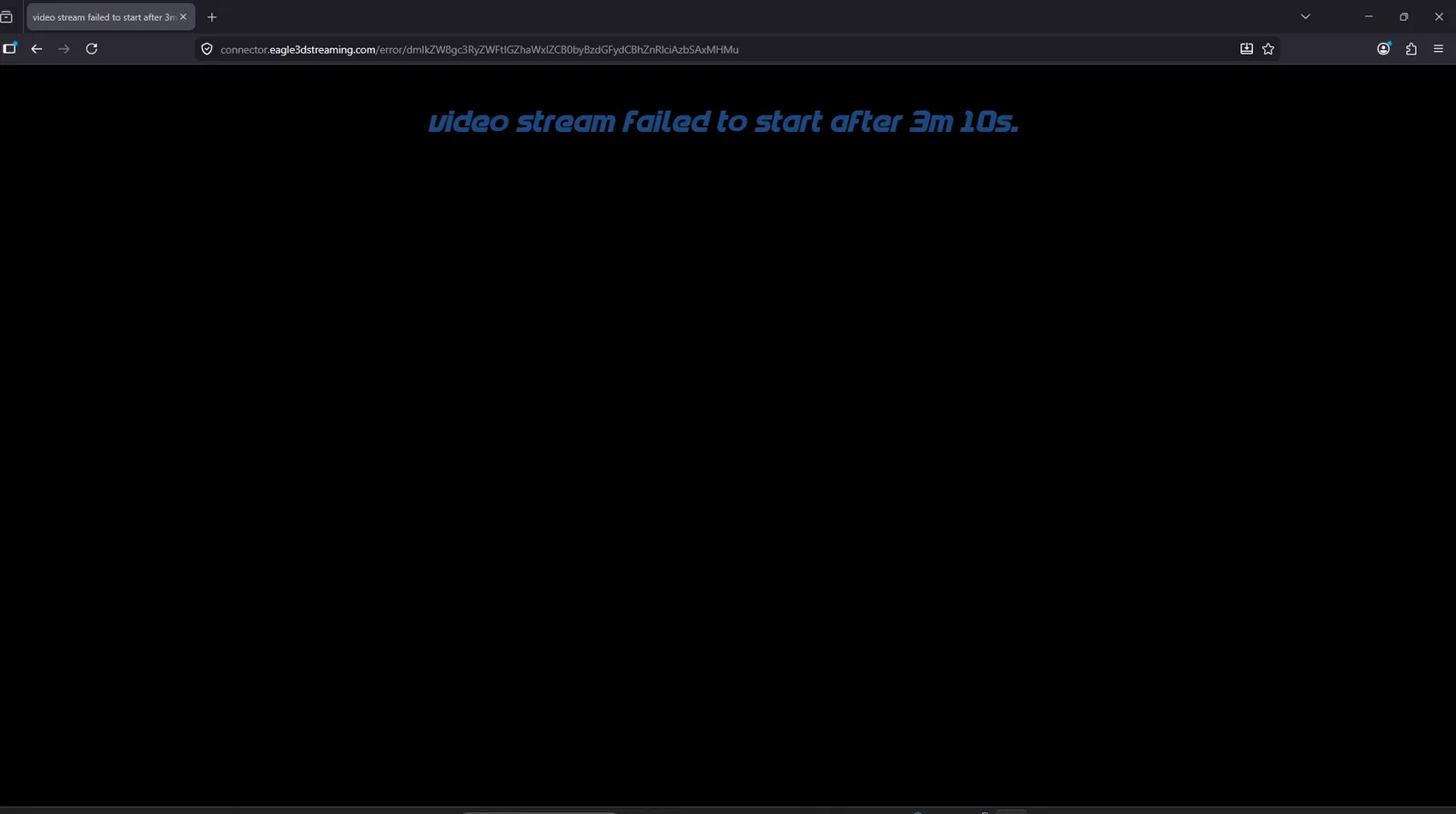
Four situations produce that, and only the first is a deliberate choice:
- The viewer clicked Block on the permission prompt.
- The viewer ignored the prompt and carried on waiting.
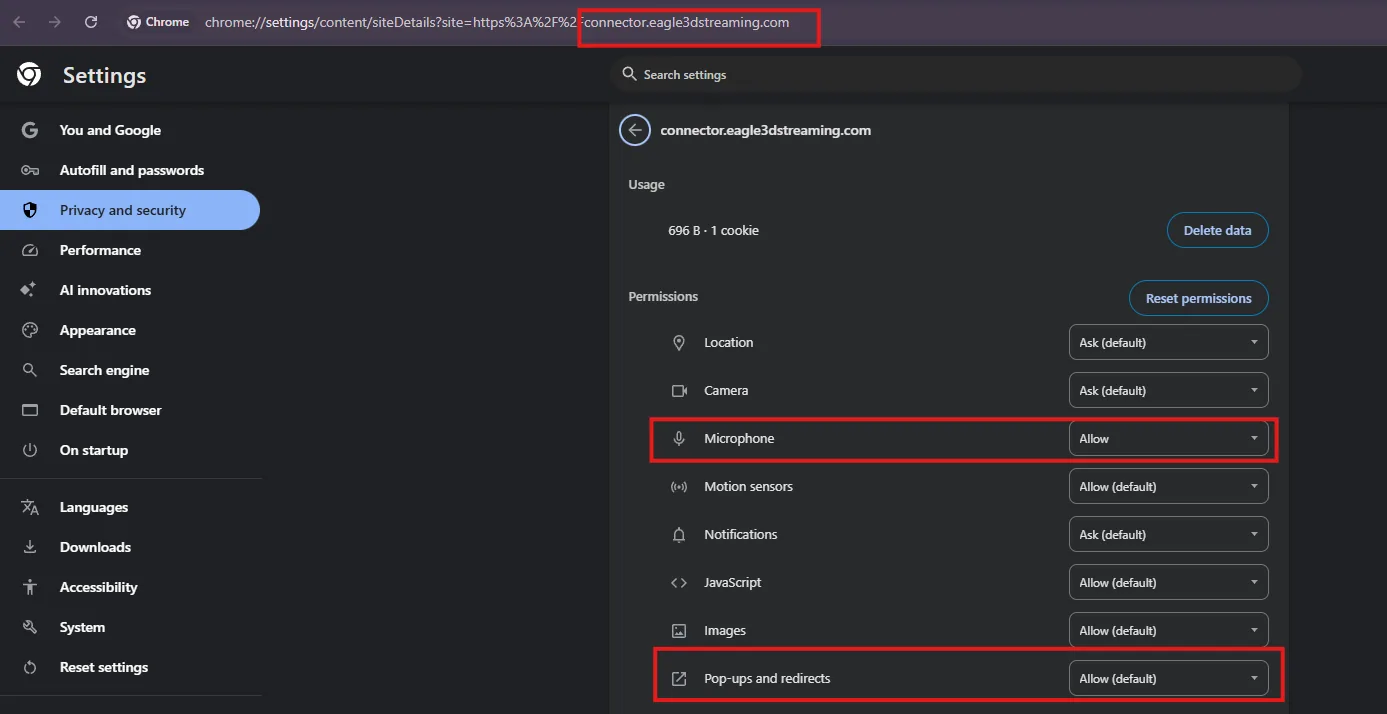
- Microphone access is set to Block in the browser's settings for that site, so no prompt ever appears.
- The stream is embedded in an
<iframe>on your own website withoutallow="microphone"on the tag, so the browser never offers the microphone to it — see embedding with an iframe.
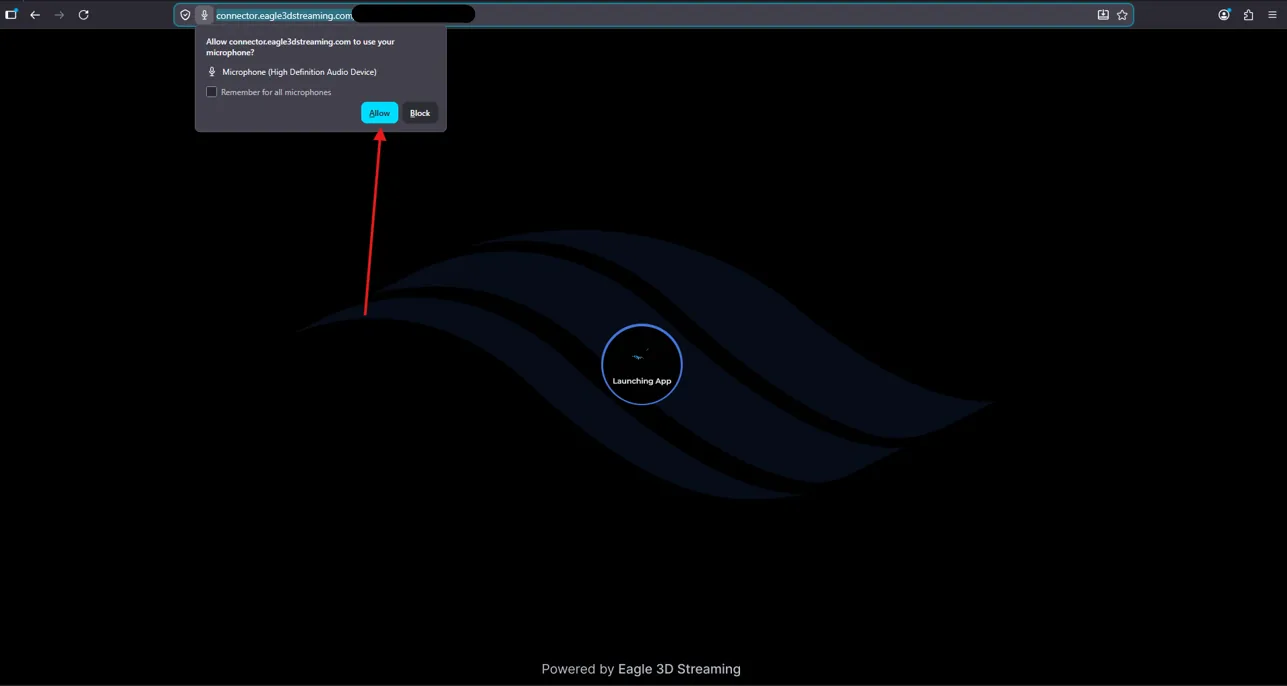
Fixing it in the browser
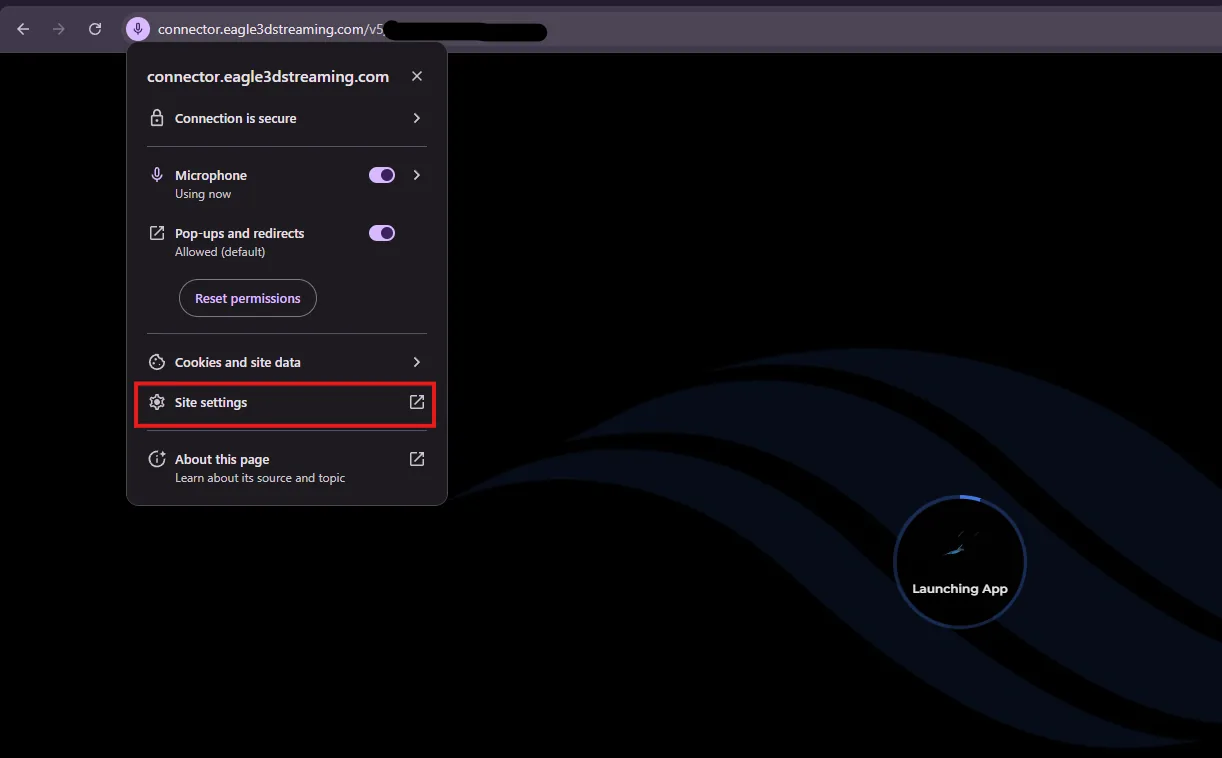
On the streaming page, click the lock or settings icon beside the address bar.
-
Open Site settings.
-
Set Microphone to Allow. A Block here is what suppresses the prompt in the first place.
Reload the stream.
An app with the microphone enabled that never listens to it gains nothing and inherits a whole class of start-up failure — one that depends on the viewer's browser settings, which you cannot see or control. Leave it off unless something in your app actually reads audio input.
The configuration side: enabling it, and what your app receives.
Last updated