Package both builds
Two packages from one Unreal project: a server build with no graphics, and the game build players stream. The server build is the one with a catch.
First: the engine you package with matters
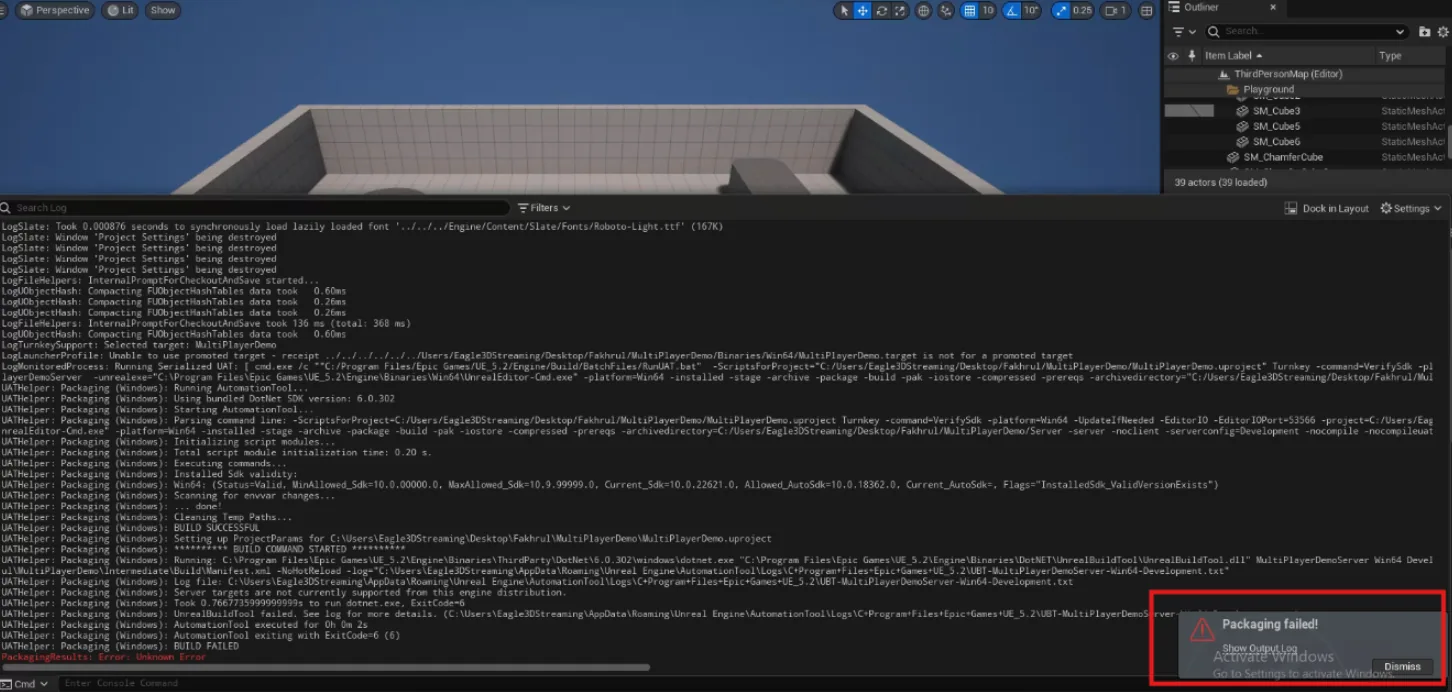
It fails with "Unknown Error" at the end. The cause is one line above
BUILD FAILED in the output log:
Server targets are not currently supported from this engine distribution.
If you have already hit that wall, this is why. You need a source
build of the engine.
| Epic binary (Launcher) | Epic source (GitHub) | E3DS source build | |
|---|---|---|---|
| Packages a dedicated server | No | Yes | Yes |
| You have to build the engine | — | Yes — around 50 GB to download and 350 GB of disk for UE 5.5 | No — it is pre-built |
| Hardware needed | — | 16 GB RAM and an 8-core CPU, or the build takes a very long time | Nothing special |
Switching your project to it
Extract the archive — the UE 5.2 build is a
.7z, so use 7-Zip for that one.-
Under
Engine\Binaries\Win64, make a desktop shortcut to the Unreal Editor executable so you can launch this engine directly.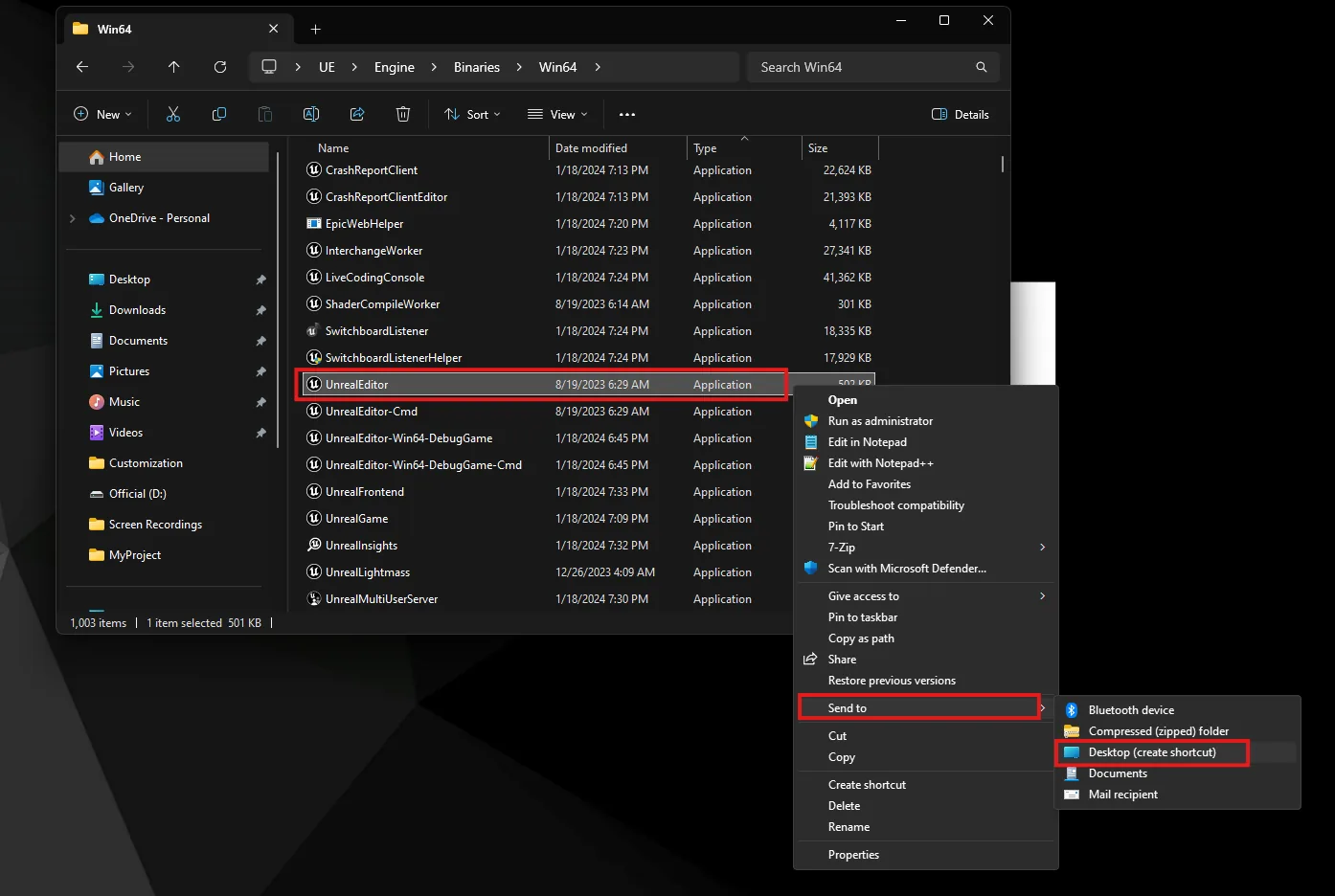
-
Right-click your
.uproject, choose Switch Unreal Engine version, and point it at the extracted folder.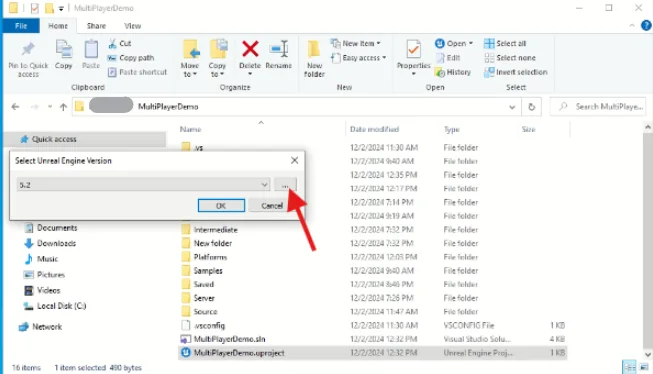
Open the project and let it regenerate.
Package the server build
-
Edit → Project Settings → Packaging, search for list of maps, and add your map —
ThirdPersonMapfor the template.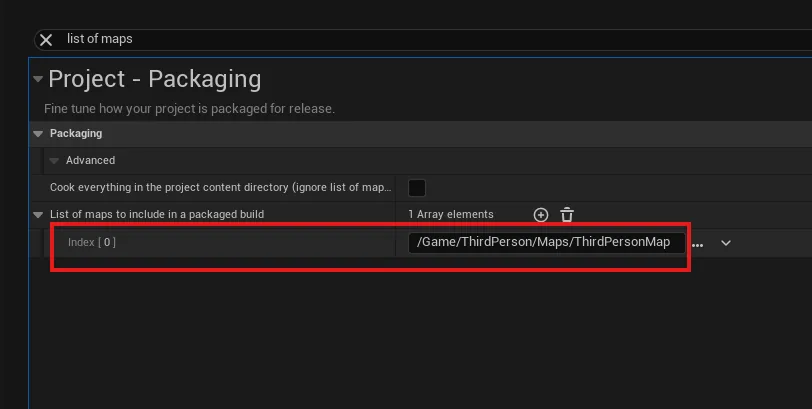
-
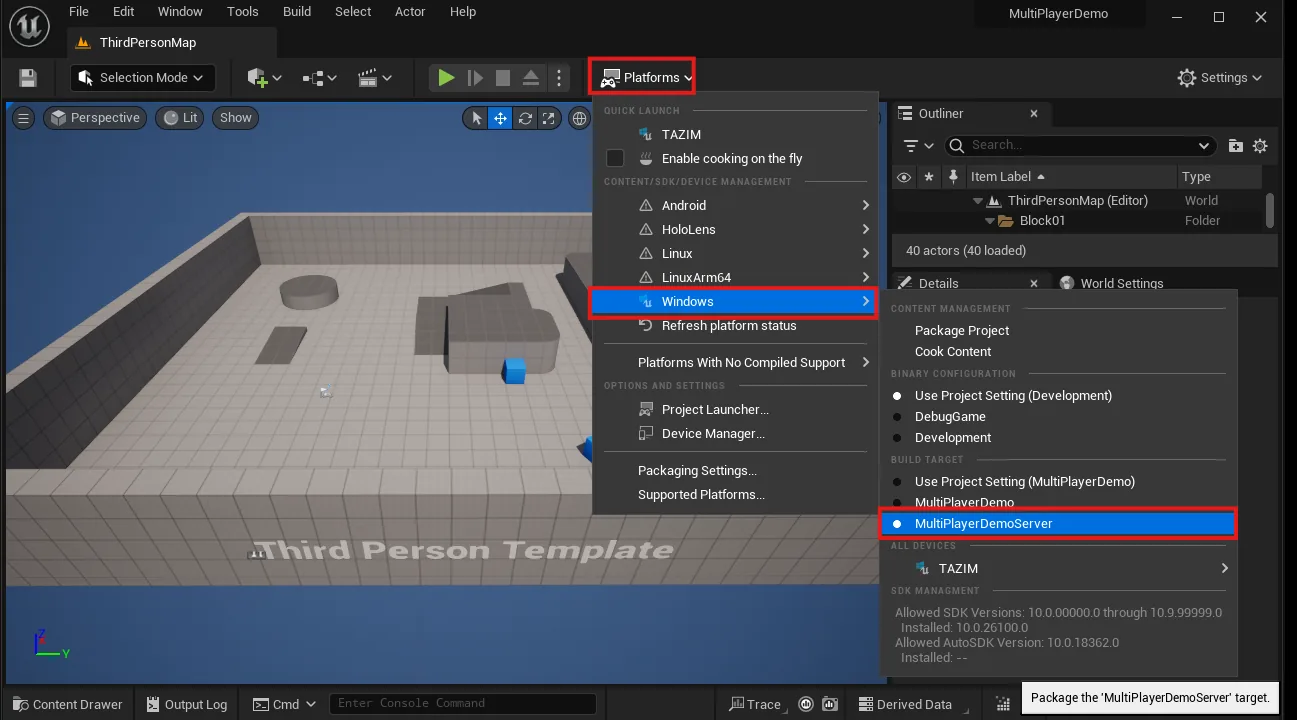
Set the build target to YourProjectNameServer.
-
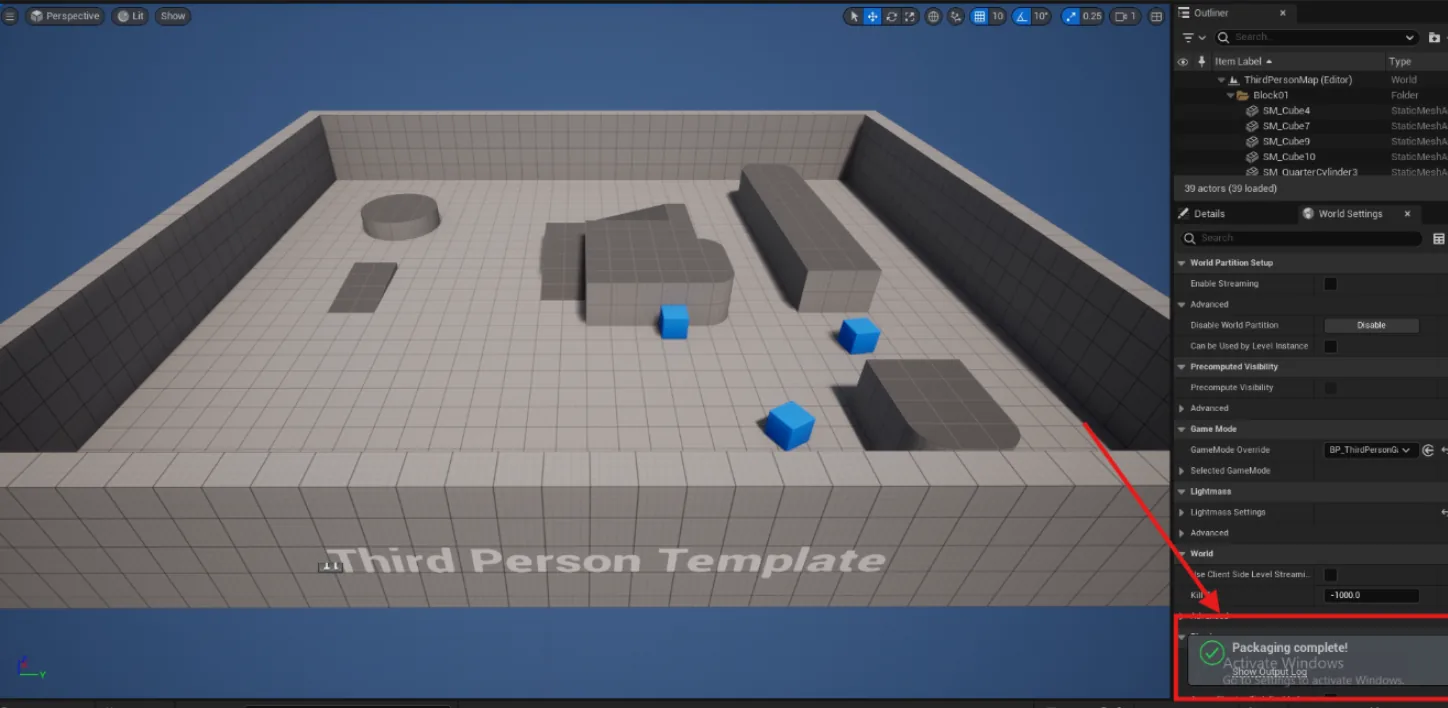
Platforms → Windows → Package Project, into an empty folder.
Package the game build
The same operation with the ordinary target. Make sure the Pixel Streaming plugin is enabled first — the game build is the one that streams, so it needs it; the server does not.
Set the build target to YourProjectName.
Platforms → Windows → Package Project, into a different empty folder.
A server that runs headless and a game that streams. Before uploading either, it is worth running them together on your own machine — two clients connecting to one server proves the pair works while both are still in front of you.
Server and game, as a pair.
Last updated