End a session from the app
Two different ways to end a Pixel Streaming session, both triggered from inside your Unreal app: stop the stream with one node, or ask the browser to close the viewer's tab.
| What your app sends | What happens to the viewer | Use it for |
|---|---|---|
| The E3DS Force End Session node | The stream stops. The page stays open and shows the text Session Ended. | A natural finish — the end of a tour, a completed configuration, a signed-off review. |
The message {"cmd":"ForeceEndTab"}, sent by hand — the plugin has no node for it |
The browser tab itself closes — if the browser allows it, which most do not. | A kiosk or a full-screen experience where a dead page left on screen would look broken. |
Which is the real reason to wire one up. A session that ends when your app knows it is finished stops consuming minutes and releases a concurrent slot straight away — rather than waiting out an idle timeout because someone walked away from the tab.
Ending the session
Features API › End the session: the same from your own page (iframe or Web SDK) or from your Unreal app, with demos and troubleshooting.
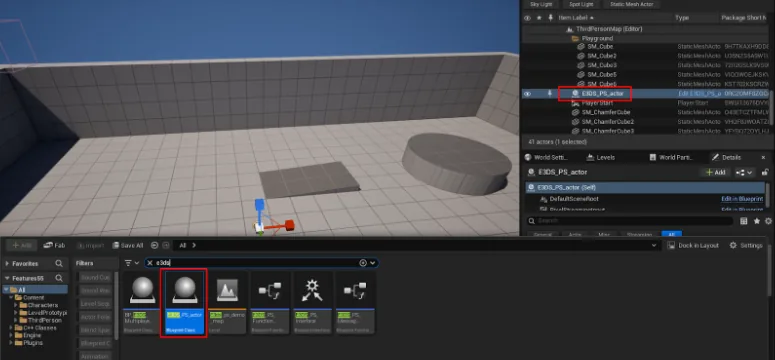
Drop a BP_E3DS_PS_Actor into the level.
In the Level Blueprint, add whatever should trigger the end — the demo uses the 6 key.
Drag from the trigger's Pressed pin and add E3DS Force End Session. Compile and save.
The viewer's page then shows the text Session Ended. If your
website embeds the stream in an <iframe>, your page also
receives a sessionEnding message (sent a second time under its
older name, redirectingWithMessage) carrying that same text
— see session end messages.
The same message can also be built from two nodes: a Construct PS Message To Force End Session node wired into the Descriptor pin of a Send Message To E3ds PS System node. That is what the screenshot below shows; the single node does the same thing.
Closing the tab
The current plugin has no node for this. Send the message yourself: add a PixelStreamingInput component to an actor in the level and send this with Send Pixel Streaming Response:
{"cmd":"ForeceEndTab"}
Spell it exactly so — ForeceEndTab, with the extra
e. That is the name the player listens for; the correctly spelled
ForceEndTab does nothing.
Checking it works
In a remote editor session, click
the viewport to give it focus and press your key. E3DS Force End Session
leaves the page showing Session Ended. If nothing happens
and No E3ds PS actor found appears on screen, the
BP_E3DS_PS_Actor is missing from the level.
Sending the viewer somewhere else — in a new tab or in this one.
Last updated