Automatic server join
With the E3DS Multiplayer Server Scaling plugin, a client asks Eagle 3D Streaming which server to use and joins it on launch. No IP address, no port, no console.
A server's address is assigned when it starts, so it is different every time. Typing it into a console is fine while you are testing and impossible for a viewer — especially on a phone, where there is no console to open. This plugin is what turns a working multiplayer project into a usable one.
A project that already has its server module, and an API key.
Step 1. Install the plugin
Download it from
Fab
or GitHub, and extract
it into a Plugins folder at your project root — creating that
folder if it is not there.
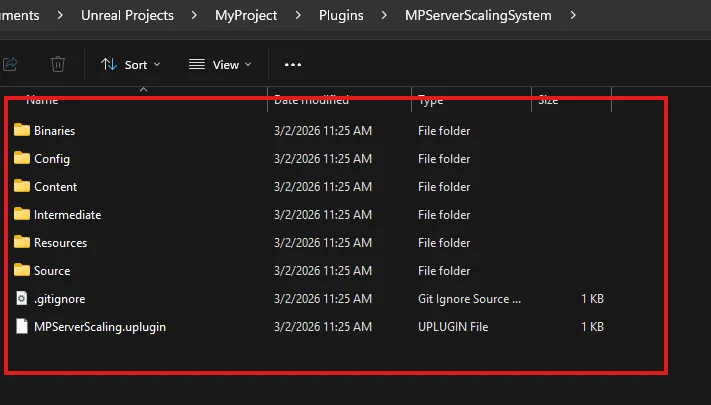
Open the project in the E3DS engine build, enable Pixel Streaming under Edit → Plugins, and restart.
Step 2. Configure the sample actor
-
In the Content Drawer, go to Plugins → Multiplayer Server Scaling System Content → Samples and open BP_E3DSMPS_SampleActor.
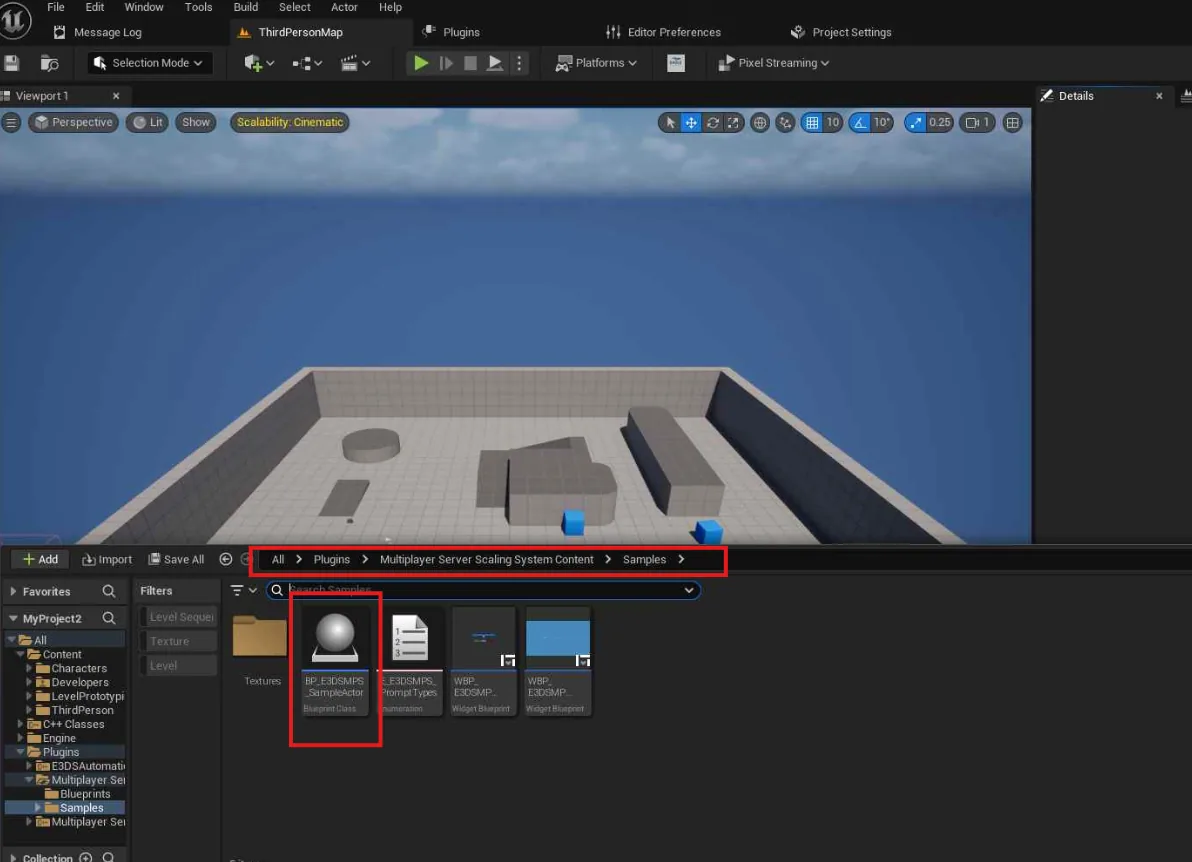
-
In the Details panel, under User Info, fill in four fields:
Field Value API Key From Developer Section → API Key in the Control Panel (see API keys). Only the account owner sees the Developer Section; a team member has to ask the owner for the key. Dedicated Server App Name The name of your uploaded server app — for example MyProjectServer.Server Version latest, or a fixed version number such as1. A fixed number keeps clients on that server version even after you upload a new one;latestfollows each upload.Command Line Launch arguments passed to the server when it starts — for example -map=LobbyMap -maxPlayerNumPerDS=16. The sample is set to1; leave that unless your server reads its own arguments.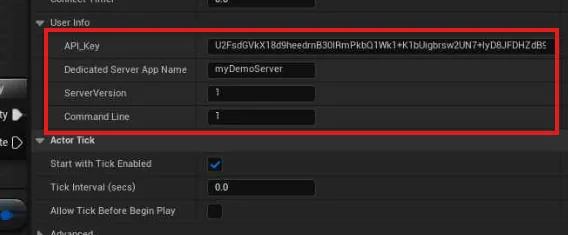
Compile and save.
Step 3. Put the actor in the map
Drag BP_E3DSMPS_SampleActor into your level, then select it and confirm the Details panel shows the same values you set on the Blueprint. Leave Connect Automatically ticked — that is what makes the client join on launch.
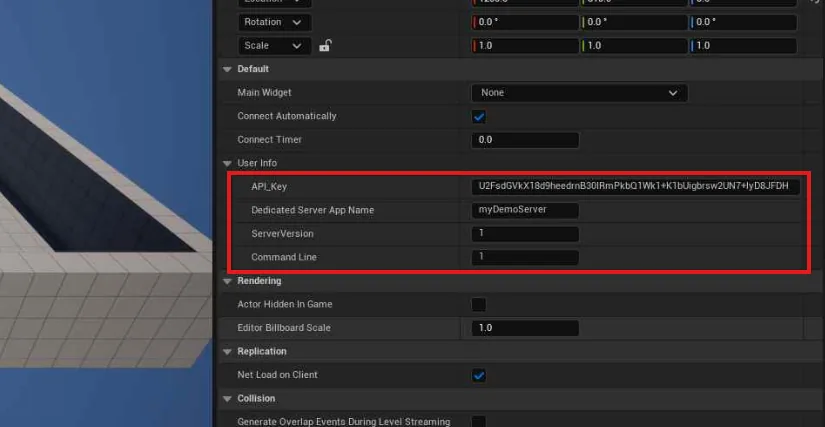
Then package and upload as usual
Package both builds and upload them. When a player opens the streaming URL now, the client finds its server and joins — including from a mobile browser, which the manual route could never support.
Packaging and uploading both builds without leaving Unreal.
Last updated