Control Panel additions, 2024
Twelve additions to the Eagle 3D Streaming Control Panel between April and October 2024, in the order they arrived, and where each one is today.
These were added to the 1.0.8 Control Panel after its launch in March 2024. The table is the short version; the sections under it describe each addition as it was released.
| Released | Addition | Today |
|---|---|---|
| 16 April 2024 | Edit payment information | My Account › Subscriptions — plans and billing |
| 16 April 2024 | Minutes Streamed Limit | Only on legacy Pay Per Minute subscriptions |
| 18 April 2024 | Storage up to 500 GB | Replaced: bought with a slider — plans and billing |
| 24 May 2024 | Subscription without a credit card | Through Support |
| 14 June 2024 | Demo app for new accounts | E3DS_StarterApp, on the Demo Apps tab |
| June 2024 | Documentation icons | Beside each setting |
| 26 June 2024 | Console commands for your app | Developer tab — developer options |
| 10 July 2024 | Enable Browser Microphone | Microphone tab — microphone settings |
| 2 August 2024 | Upload sequence | What happens when you upload |
| 2 August 2024 | Notifications | Monitoring and analytics |
| 30 September 2024 | Analytics | Monitoring and analytics |
| 10 October 2024 | The side panel | Down the left of every Control Panel page |
Billing
April and May 2024: the card, a minutes cap, more storage, paying without a card
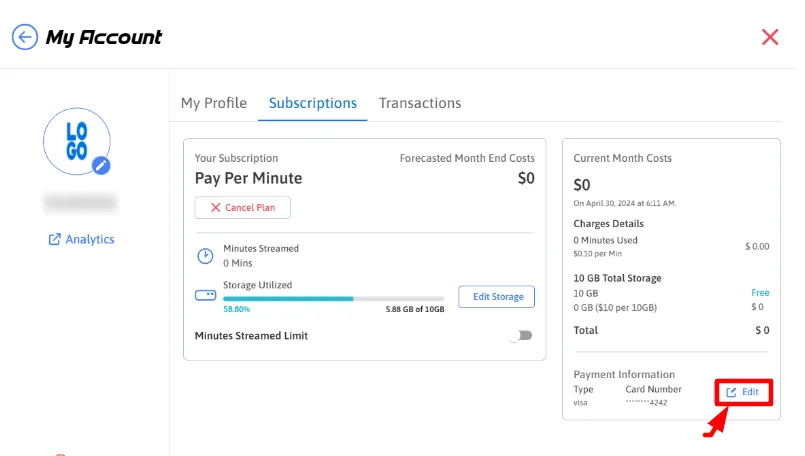
Edit payment information — 16 April 2024
An Edit button in the Payment Information section changes the card you pay with. It was on the Manage Account tab; today it is under My Account › Subscriptions.
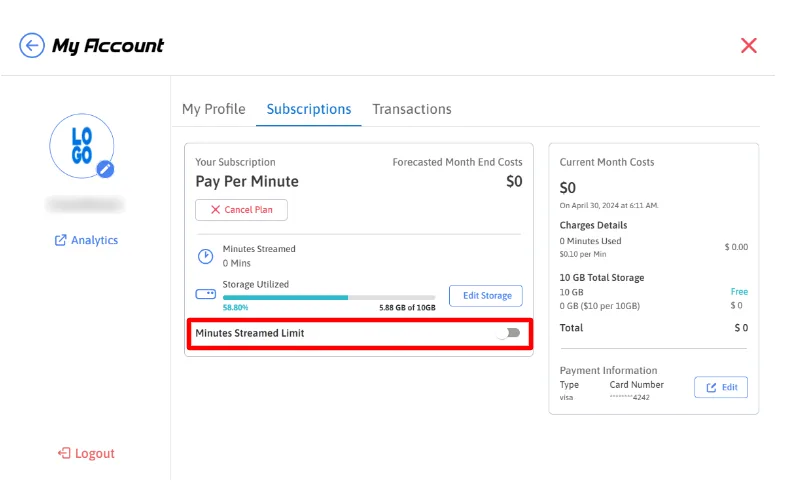
Minutes Streamed Limit — 16 April 2024
A Minutes Streamed Limit toggle under Subscriptions caps the streaming minutes used in a month. In April 2024 the smallest cap was 100 minutes, for $10.
Today it applies only to legacy Pay Per Minute subscriptions: Pay Per Minute is no longer offered on the Plans page. See plans and billing.
Storage up to 500 GB — 18 April 2024
The Edit Storage dropdown under Subscriptions offered sizes up to 500 GB, in steps of 10 GB, at $10 for each 10 GB.
Replaced since. Storage is now bought with a slider at $1 per GB, up to 250 GB on Core and up to 1 TB on Enterprise — see plans and billing.
Subscription without a credit card — 24 May 2024
For customers who pay some other way than by credit card: access to the Control Panel without entering any payment information. It is set up only by Support, who can say what it needs for your account.
Getting started
June 2024: a demo app in every new account, and documentation one click away
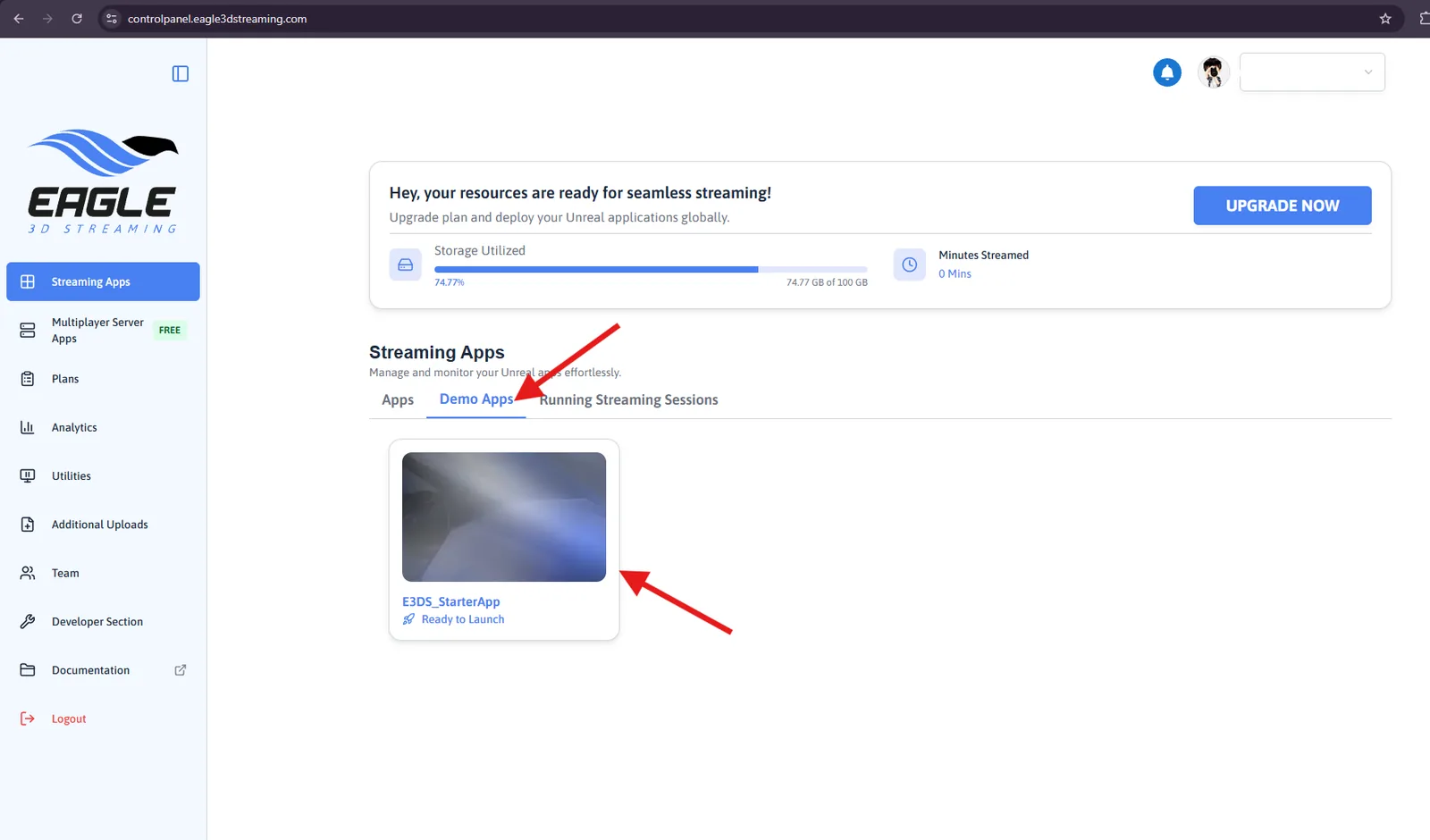
Demo app — 14 June 2024
A new account finds a demo app waiting at its first sign-in, ready to stream, so there is something to try before uploading anything. It was first called E3DSFeaturesTemplate; today it is E3DS_StarterApp, on the Demo Apps tab.
Documentation icons — June 2024
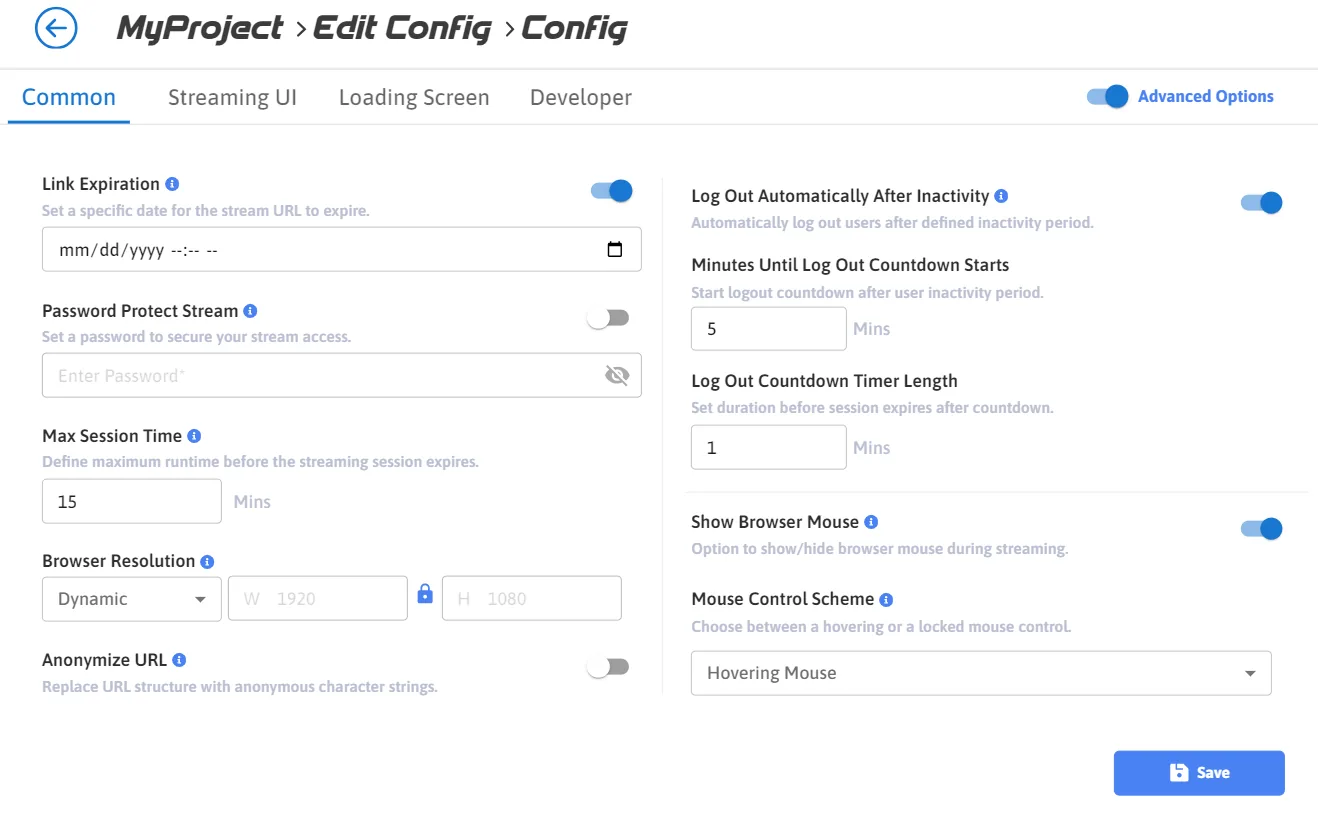
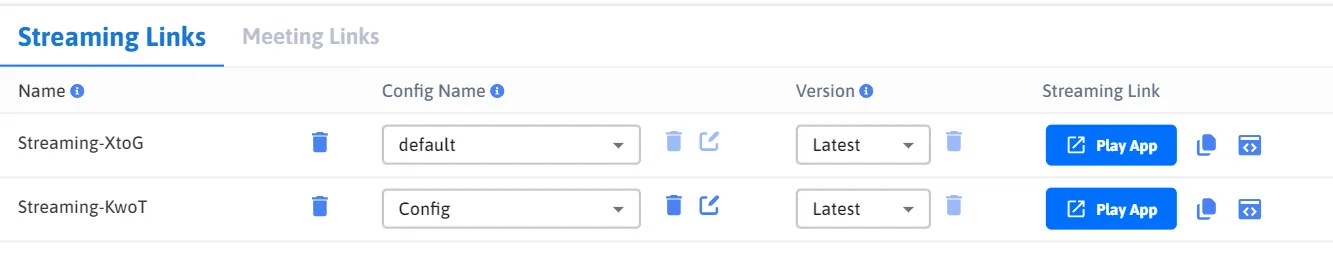
A blue icon beside each setting on the Streaming Links, Meeting Links and Account Management pages. Clicking it opens the documentation for that one setting, with its steps, so there is no need to search for it.
Configuration
June and July 2024: console commands, and the viewer's microphone
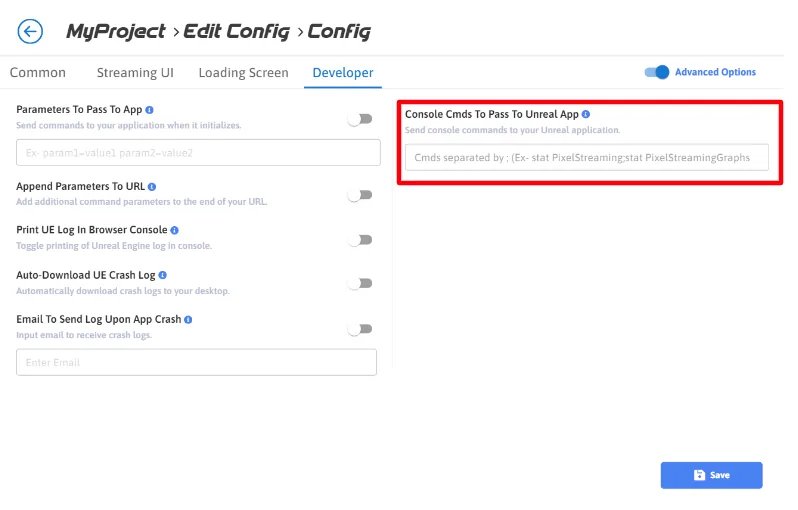
Console commands for your app — 26 June 2024
Console Cmds To Pass To Unreal App: console commands typed in the Control Panel, which your app runs when it starts. Useful for a Shipping build, where there is no console to type them into. Today it is on the Developer tab — see developer options.
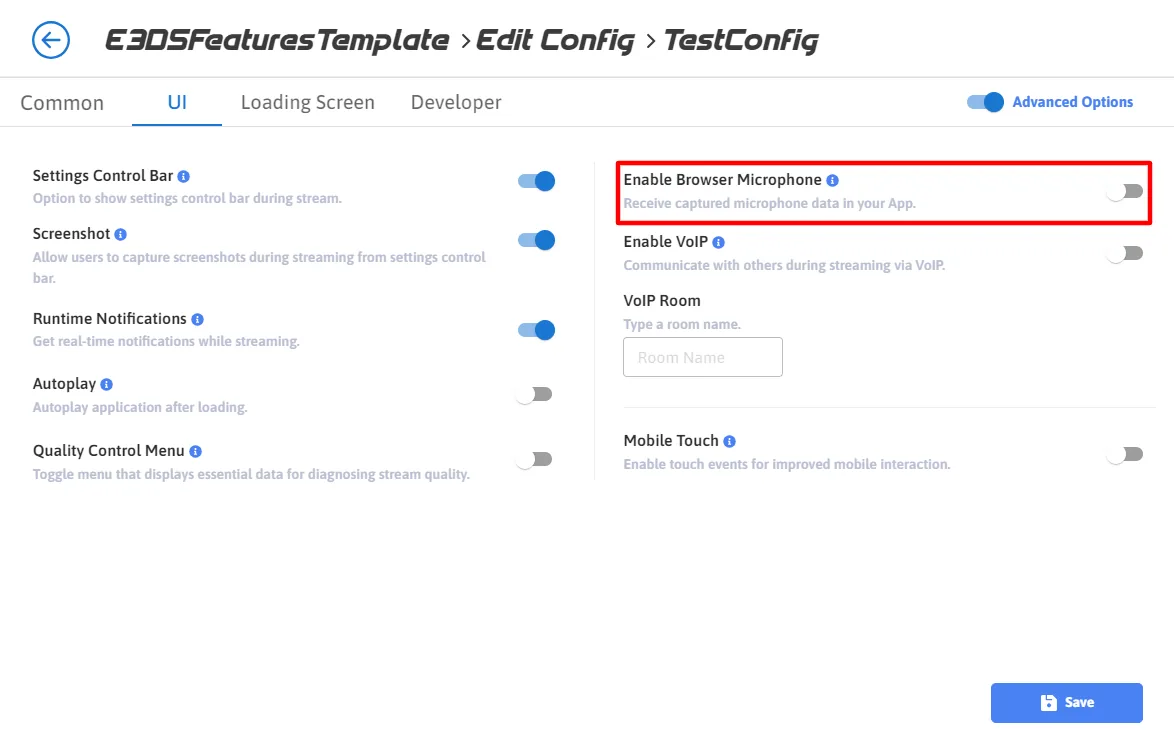
Enable Browser Microphone — 10 July 2024
Lets your app receive the microphone the viewer allows in their browser, for Unreal applications that take voice input. It was off by default, so no microphone was used unless you turned it on. In 2024 it sat in the UI tab, under Advanced Options.
Today the same switch is Use Browser side Microphone, on its own Microphone tab — see microphone settings.
Uploads and alerts
August 2024: checks on every upload, and notifications
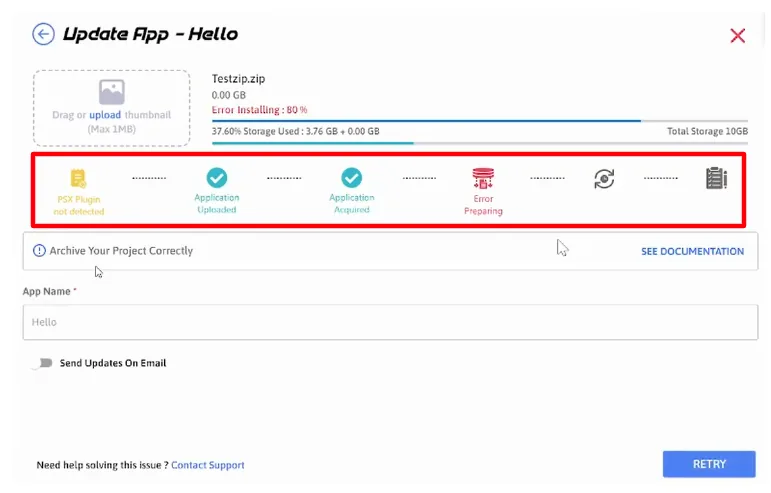
Upload sequence — 2 August 2024
A series of checks run on your app while it uploads, to confirm it is ready to launch and has what streaming on Eagle 3D Streaming needs. Each check shows as a step, and a failed one shows where the upload stopped. What happens at each stage today is on what happens when you upload and stream.
Notifications — 2 August 2024
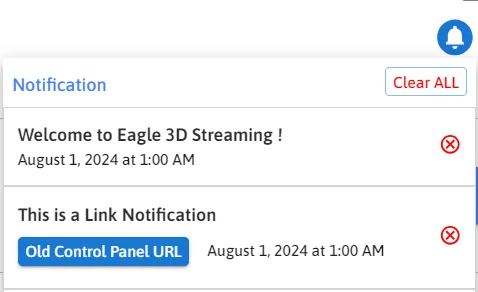
Alerts inside the Control Panel, under the bell icon, about events such as an upload's progress and your streaming usage, so there is no need to leave the page to find out. A notification is either a plain message or one with a link to the page it concerns. Dismiss them one at a time, or all at once with Clear All. See monitoring and analytics.
Analytics and navigation
September and October 2024: session analytics, and the side panel
Analytics — 30 September 2024
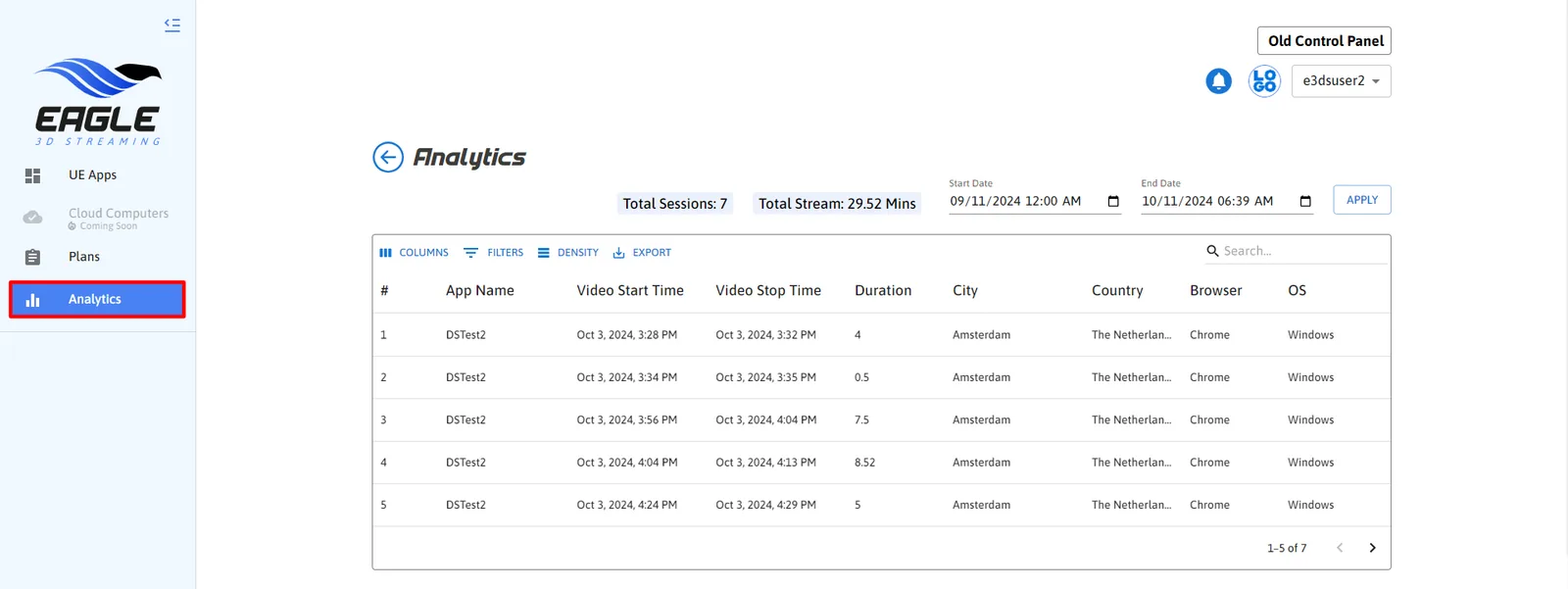
A new Analytics page for your streaming sessions:
- A table of sessions: app name, video start and stop times, session duration, city and country, browser and operating system.
- Totals: the number of sessions and the total time streamed.
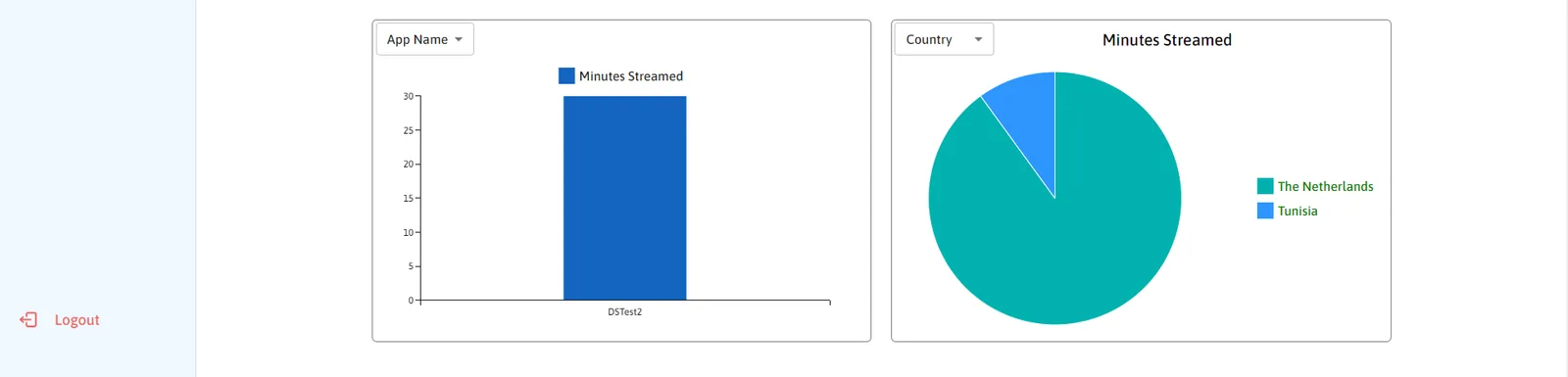
- Bar and pie charts, grouped by app name, city, country, browser or operating system, chosen from a dropdown.
- Filters and search on the table.
- Export to CSV, for your own analysis or reports.
How to use it is on monitoring and analytics.
The side panel — 10 October 2024
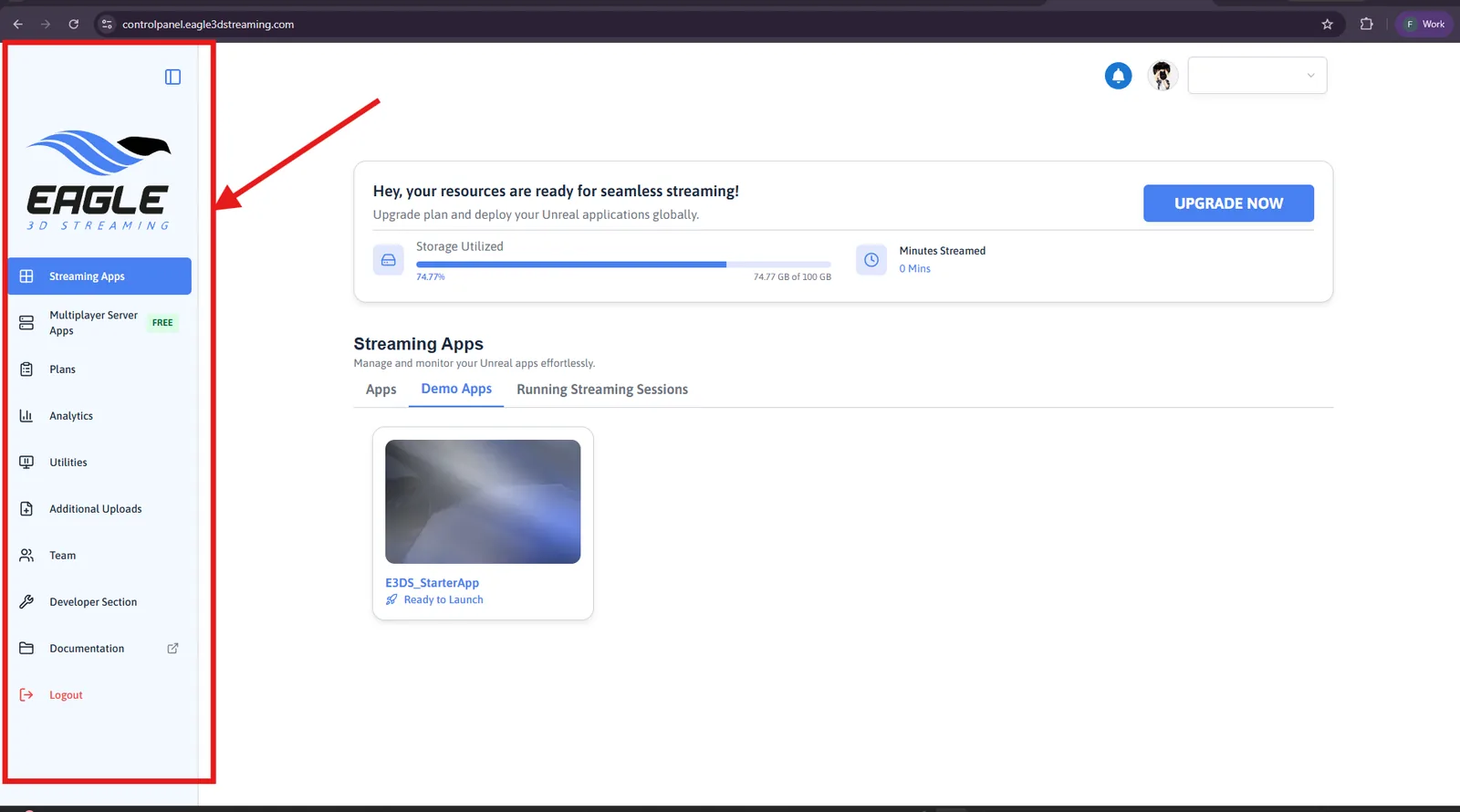
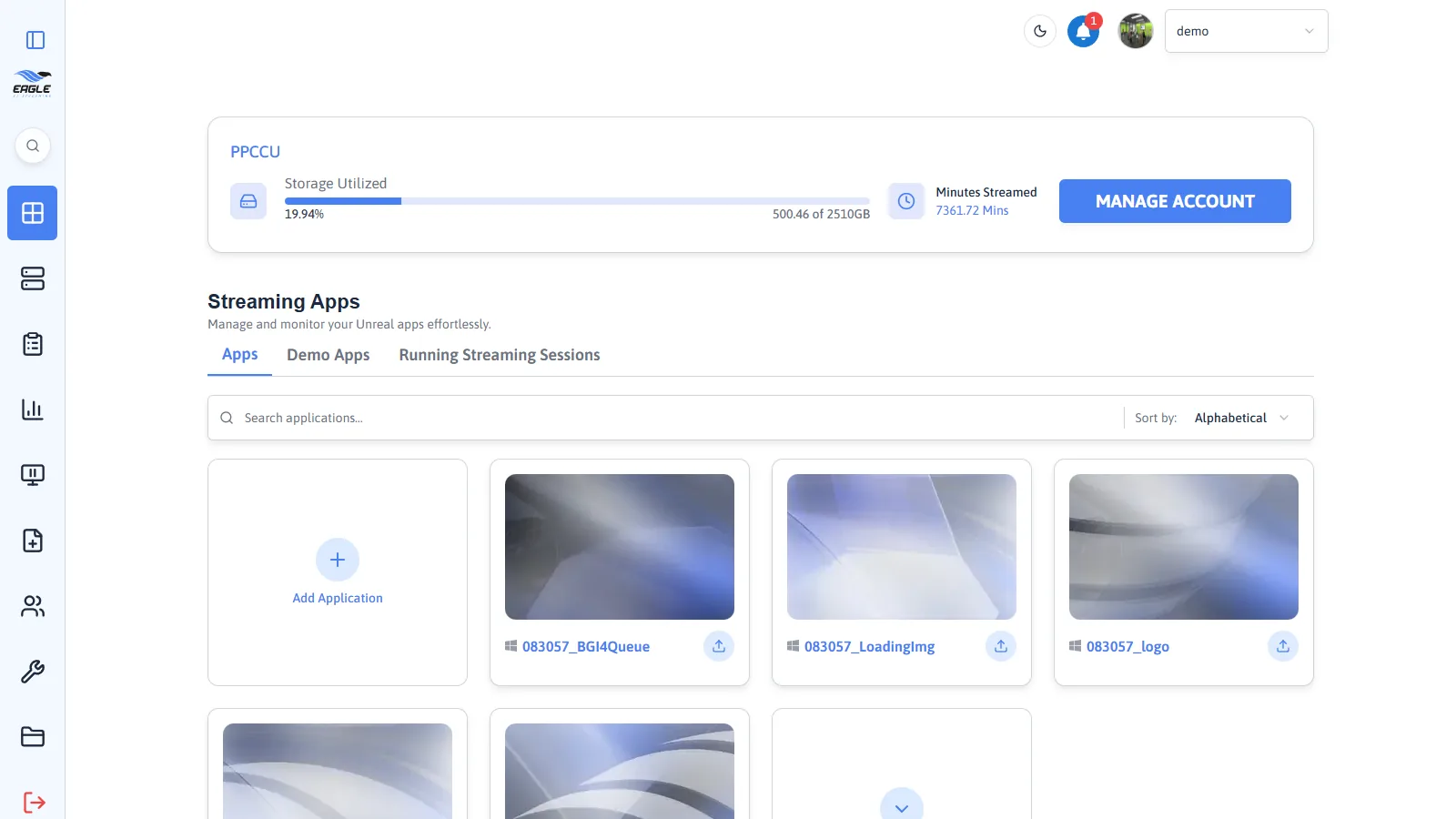
A panel down the left of the Control Panel, holding its main sections in one place. The button at its top right collapses it to a column of icons, and expands it again.
In October 2024 it held UE Apps, Plans, Analytics and Logout. Today it holds Streaming Apps, Multiplayer Server Apps, Plans, Analytics, Utilities, Additional Uploads, Team, Developer Section, Documentation and Logout.
Changes to the platform since these.
Last updated