Build a Linux package
Unreal can build a Linux version from a Windows machine, once you install the cross-compile toolchain. You do this once per engine version.
Before you begin
- Unreal Engine installed through the Epic Games Launcher.
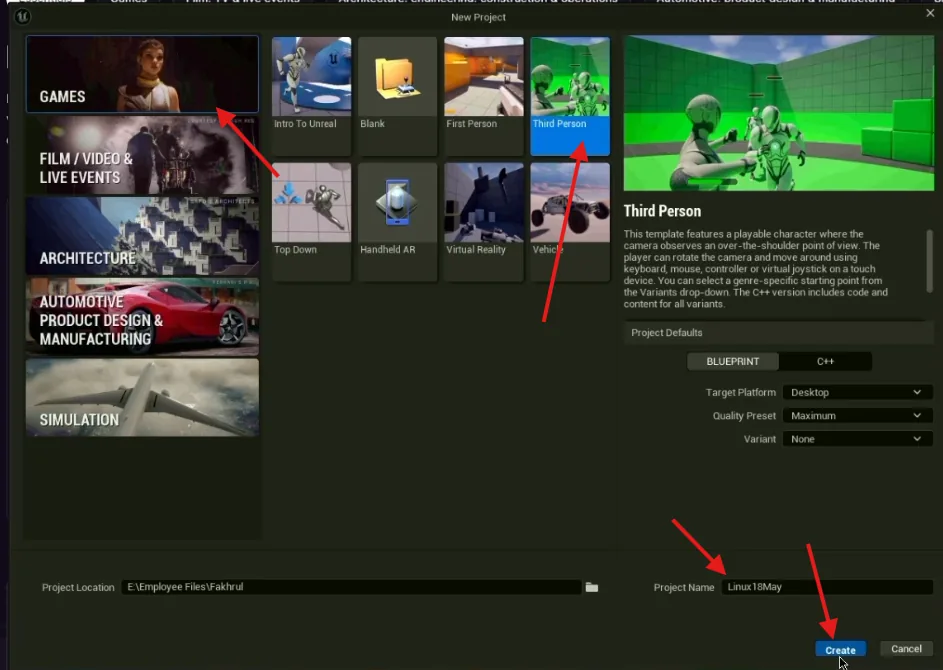
- A project to build. A Third Person template is enough to try it.
Install the cross-compile toolchain
Unreal cannot produce a Linux build out of the box. It needs two things, and both must match the engine version you are building with: the Linux target platform, an optional component of the engine install, and the cross-compile toolchain, a separate download from Epic.
-
Open the Epic Games Launcher and go to Unreal Engine › Library
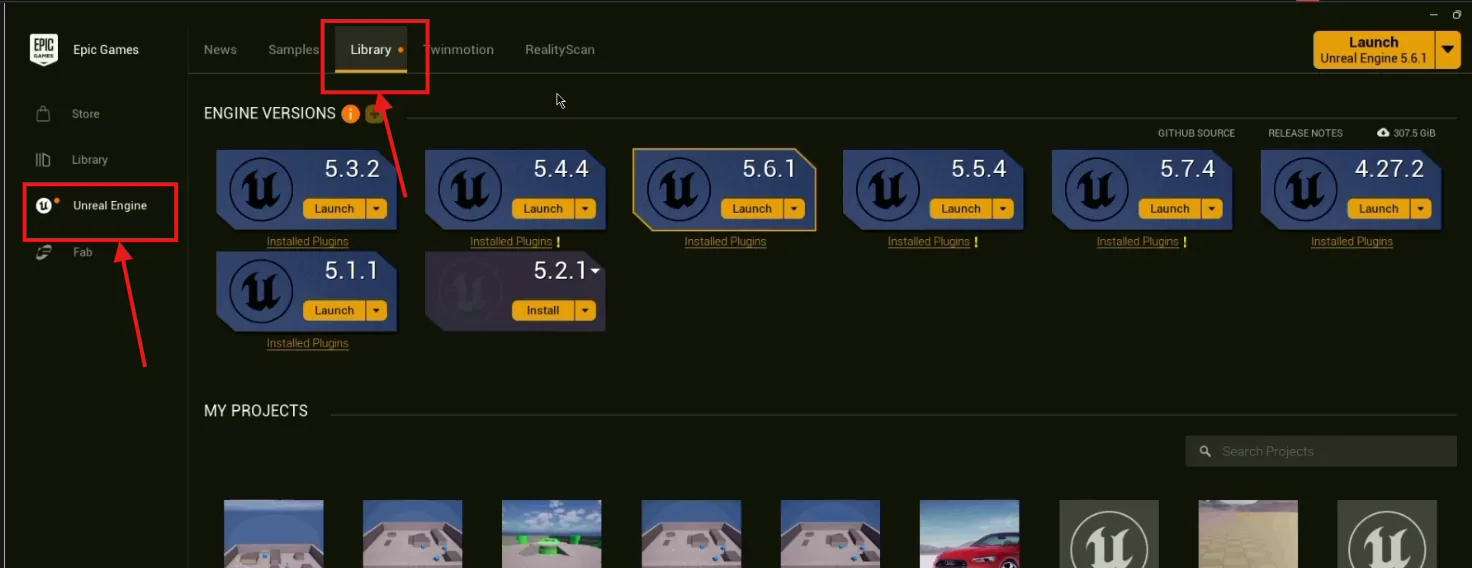
Your installed engine versions. -
Open the menu beside the engine version you will use
The three-dot icon next to that version.
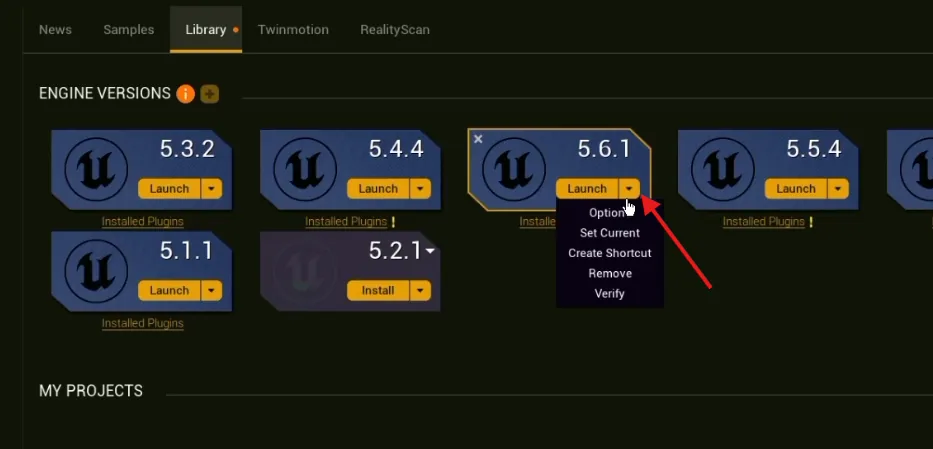
The version's menu, with Options at the top. -
Choose Options
This opens the list of optional components for that install.
-
Tick the Linux target platform and apply
The download is large and the install takes a while. It only happens once per engine version — but note that installing a new engine version later means doing this again for it.
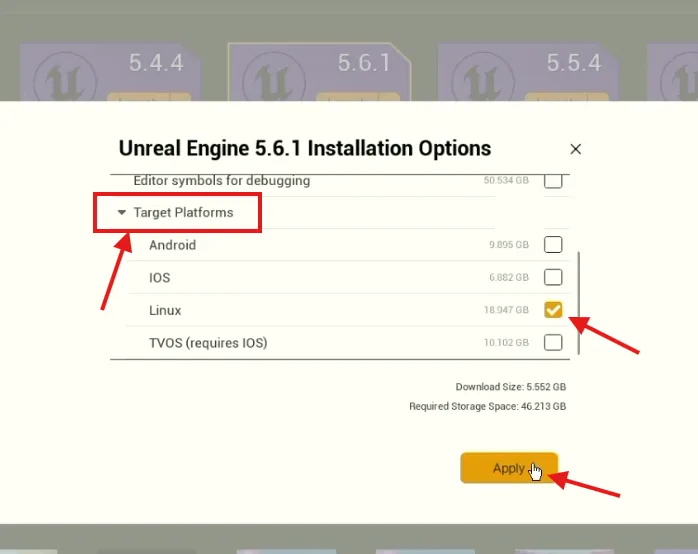
Target Platforms › Linux, then Apply. -
Download and install the cross-compile toolchain for your engine version
The Linux target platform does not include the compiler. Download the clang cross-compile toolchain from Epic's Linux development requirements page and run its installer. Pick the version in the Cross-Compile Toolchain column for your engine: v23 for 5.5, v25 for 5.6, v26 for 5.7.
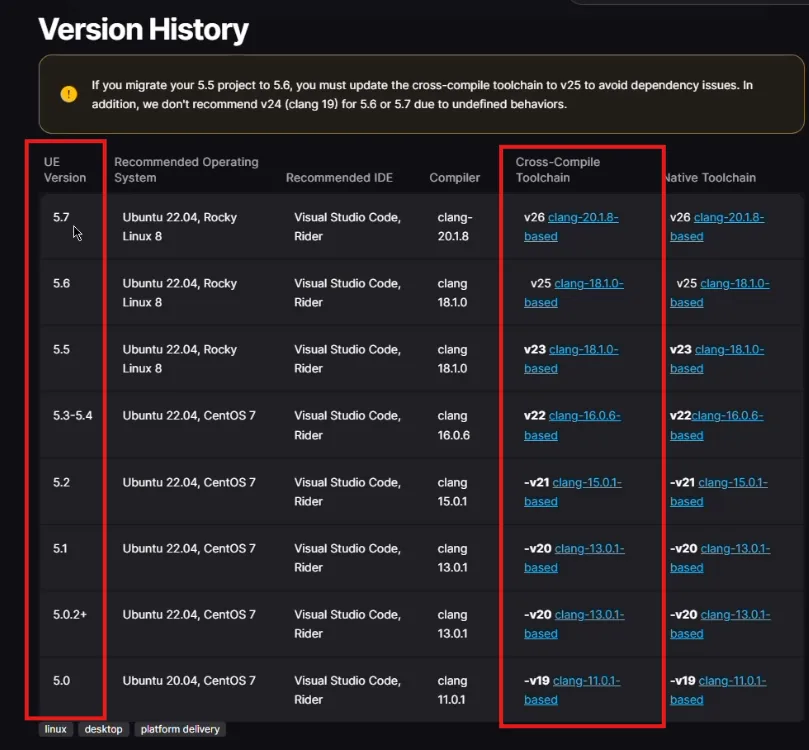
Epic's table: one toolchain per engine version.
Unreal Editor offers Linux under Platforms. If it does not appear, the editor was open during the install — restart it.
Package the project
-
Enable Pixel Streaming, and restart the editor
In Edit › Plugins, search for Pixel Streaming, enable Pixel Streaming (Plugin 1), and restart. Not Pixel Streaming 2, which also appears on 5.5 and 5.6 and does not stream there — see plugin compatibility. This matters more for Linux than for Windows, because Linux uploads are not stream-tested.
-
Go to Platforms › Package Project › Linux
That is the menu path in Unreal 5.6 and newer (older versions list it as Platforms › Linux › Package Project). Pick Linux, not LinuxArm64. Choose an empty folder for the output.
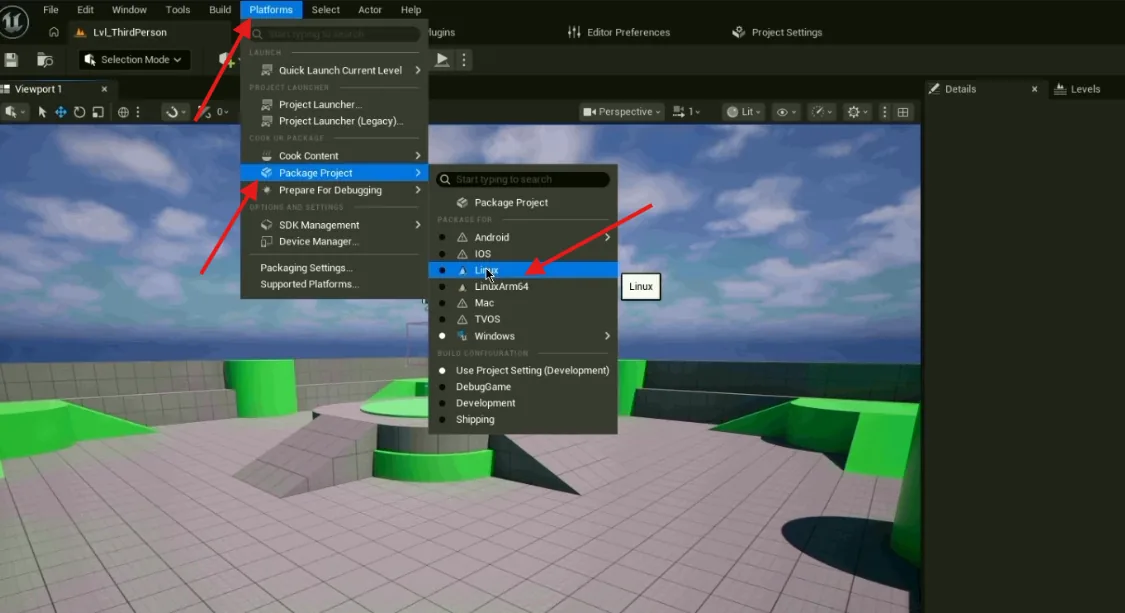
Platforms › Package Project › Linux. -
Wait, and read the log if it fails
The first Linux package of a project is slow — shaders are compiled for a platform this project has never targeted before.
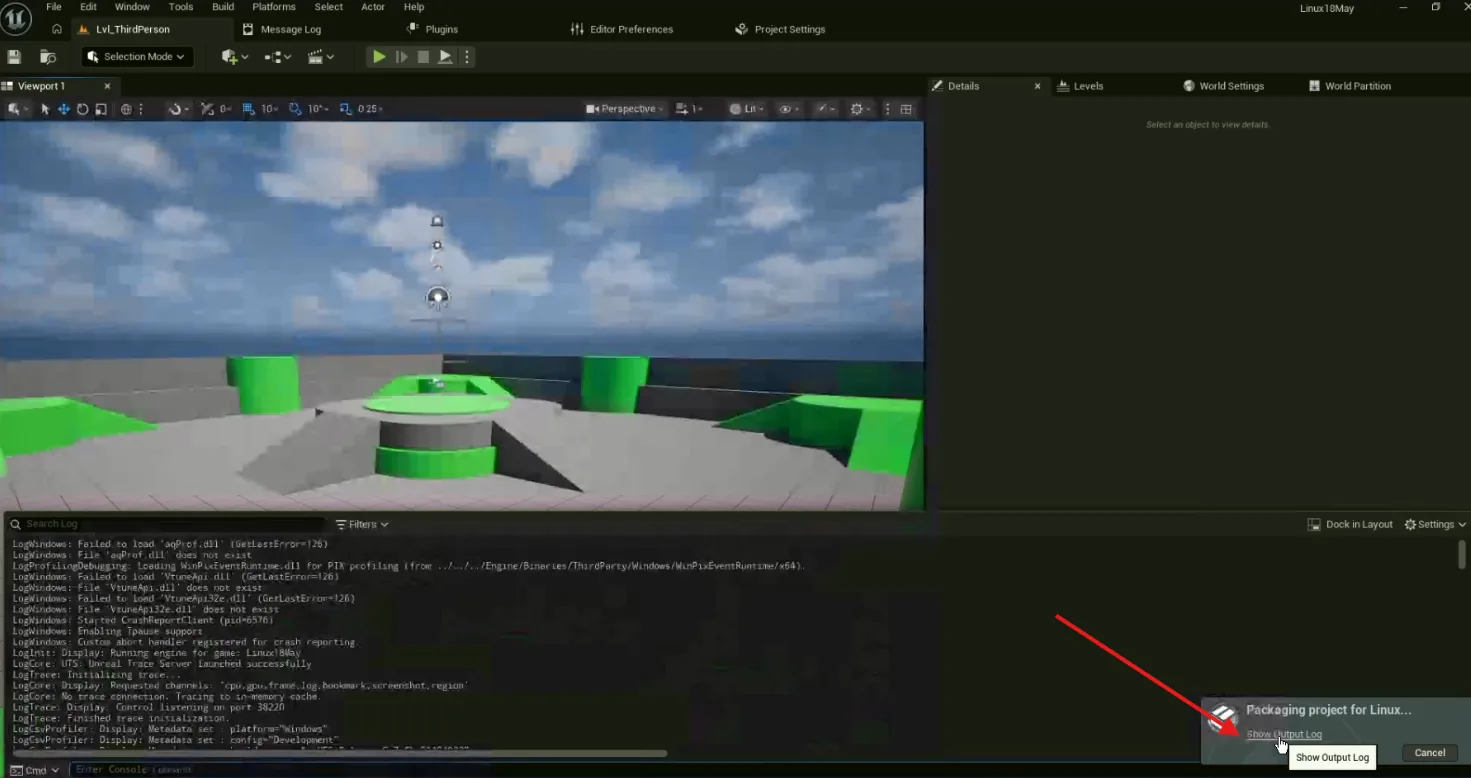
Packaging in progress. -
Zip the contents of the output folder
Select everything inside it — not the folder — and compress it to a ZIP. A Linux build has a
.shlauncher at its root instead of an.exe, and the name of that file matters when you upload.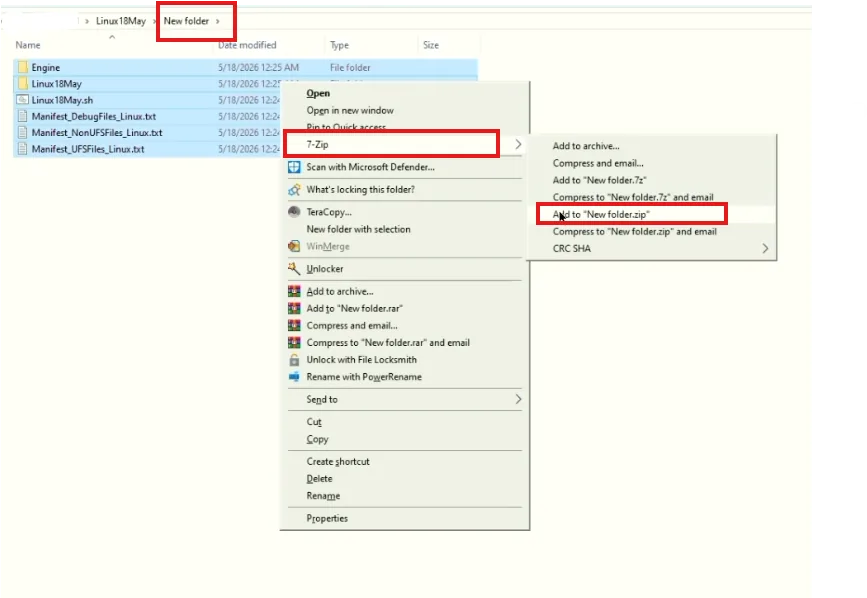
Inside the packaged folder: note the .shfile.
A ZIP with a .sh launcher at its top level. Note its name — the next page needs it.
Including the platform setting that decides whether it ever gets a machine.
Last updated